FMP 02/03/2015
today we were making the user interface as well as talking about the different types of HUDs
types of HUDs
diegetic HUD
a diegetic HUD is a HUD that exists within the game world, this means that players can interact with it in some kind of way. An example of this kind of HUD is Dead Space, the HUD is a projection in front of the players model allowing them to interact with it.
 non-diegetic HUD
a non-diegetic HUD is a HUD that separates itself from the fiction and geometry and can adopt its own visual treatment. an example of this HUD is mass effect 3, the HUD sits on the 2D plane and the character isn't aware of the HUD unlike Dead Space where both the character and player can see the HUD
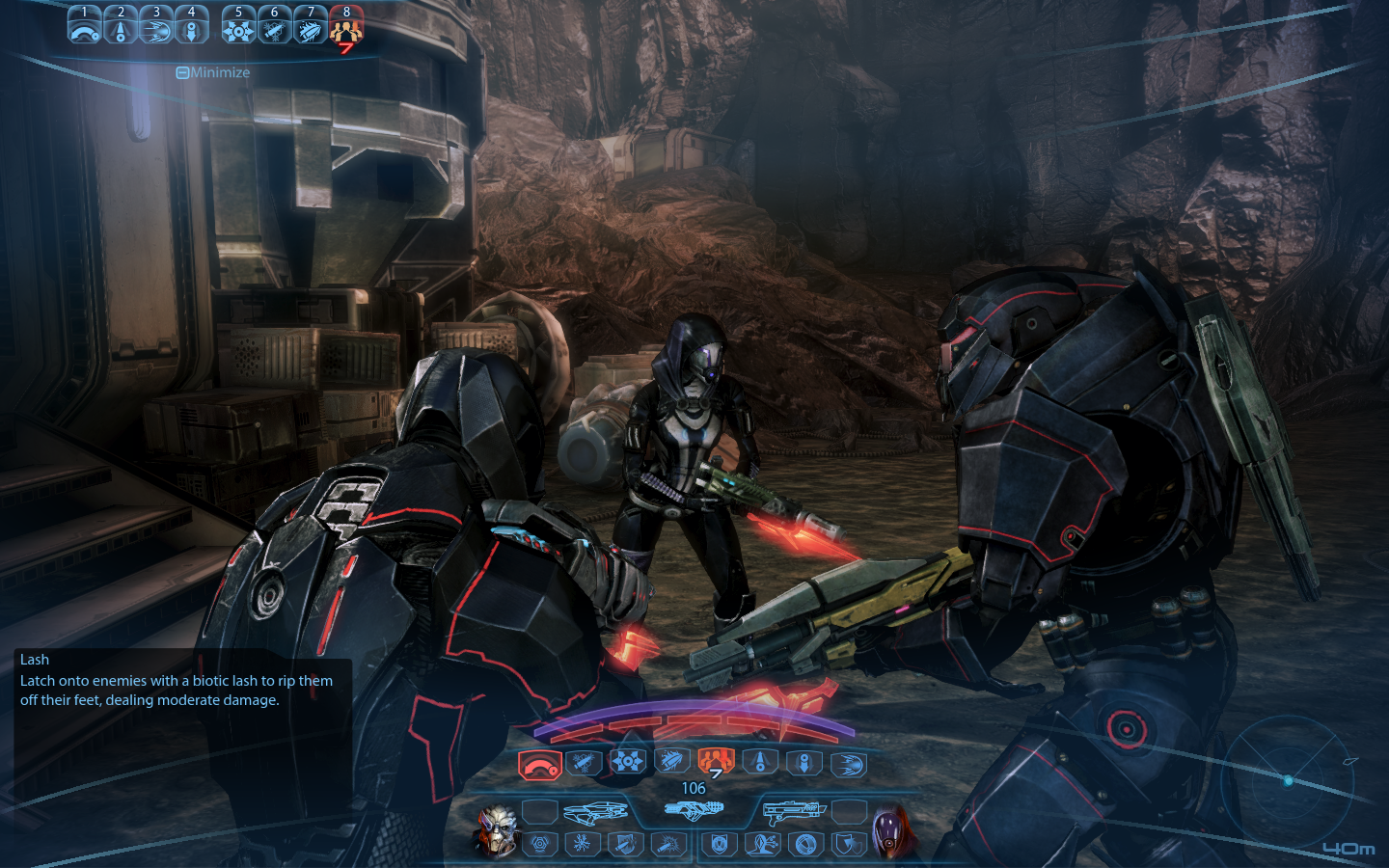 meta HUD
a meta HUD is a HUD that doesn't fit within the geometry of the game world so it instead sits on the 2D plane. an example of this is call of duty's blood splatter, this is used to indicate the amount of health the player has. it basically breaks the 4th wall
 spatial
the spatial HUD is a HUD which breaks the narrative in order to give more information, but spatial HUDs manage to sit in the games geometry to help immerse the player. An example of this type of HUD is splinter cell conviction, in the beginning the player gets informed about what to do, but the main protagonist is unable to see this information
 Website used to gain this information
http://www.thewanderlust.net/2010/03/29/user-interface-design-in-video-games/
Website used to gain this information
http://www.thewanderlust.net/2010/03/29/user-interface-design-in-video-games/

from this picture that was from the website you can see that each HUD is either immersed in the game world, the games narrative, both or even none of them. each games HUD will either be different of the same as many other games, each maybe having something unique about them like metro 2033's watch and fallouts pip-boys
FMP 03/03/2015
today I finished my design for my title screen interface
this is the design that I had made
what I was going for was the starry background with the title having a moving rainbow glow, the stars are there to signify which option is selected, unlike most games where the option you are going to select has a glow around it. the main selections will have sub-menus like in most games, e.g. if you select single player then players can choose to do tournament or arcade mode.
I created the titles using title creation websites, I looked through the various choices and made a couple of various ones to see which one would suit the background
how does user interface enhance the user experience?
the user interface enhances the user experience by helping players understand. people may like different types of HUDs, people may go for the non-diegetic HUD where they can see what's going on such as health levels, mana and abilities, or maybe people may go for the Diegetic HUD where they can feel more immersed with the game and its story where they can use the HUD to progress through the game. All of this is peoples different opinions but one thing is for certain and that is that all players will be using the hud in some kind of way
links used to create the various titles (also some of the selections are on both sites)
http://www.flamingtext.co.uk/All-Logos
http://cooltext.com/
FMP 04/03/2015
today in FMP we was making sure that we would have all our work before our set deadline, there are a few things we have to do.
list of things to be handed in
- illustrator - crest and character
- 3d environment
- render
- dialog, sound and script
- user interface
- blog
- action plan
things to complete
- crest - colors
- character - rework of the body parts
- environment - textures, making sure the animation works properly, connecting them all together
- sound - got the recording equipment booked and just need to do the voices
- blog - make sure its up to date and continue to do it
- action plan - need to start


